

Illustrator | Procreate artist | Sketchbook scribbler
Links
Join for live workshops, Procreate tutorials and art career tips
Procreate Resources

This Procreate brush set is designed to reflect the textures I love most: the creaminess of gouache, the grainy feel of colored pencils, and those happy little accidents that make traditional art feel human.
If you’ve been struggling to bring that natural, textured look into your digital work, this brush set might be exactly what you need!
It’s perfect for children’s book illustrators, mixed-media artists or just anyone who wants to add mixed media textures to their digital paintings
What’s Included?
With this brush set, you’ll get everything you need to bring rich, organic textures into your digital paintings:
15 custom Procreate brushes mimicking traditional techniques like gouache, colored pencil, oil and soft pastels, and alcohol-based markers.
A Procreate file with a high-resolution cold-pressed paper texture for adding a warm, hand-painted feel to your artwork.
A curated swatch of my favorite colors—the same ones I use in my digital paintings.
A detailed PDF guide that walks you through each brush, its best uses, and a step-by-step breakdown of my painting process.
Disclaimer: The brush is designed for use with Procreate and may not be compatible with other software. Results may vary based on individual drawing styles and techniques. Redistribution, reselling, or sharing of the brush is not permitted.
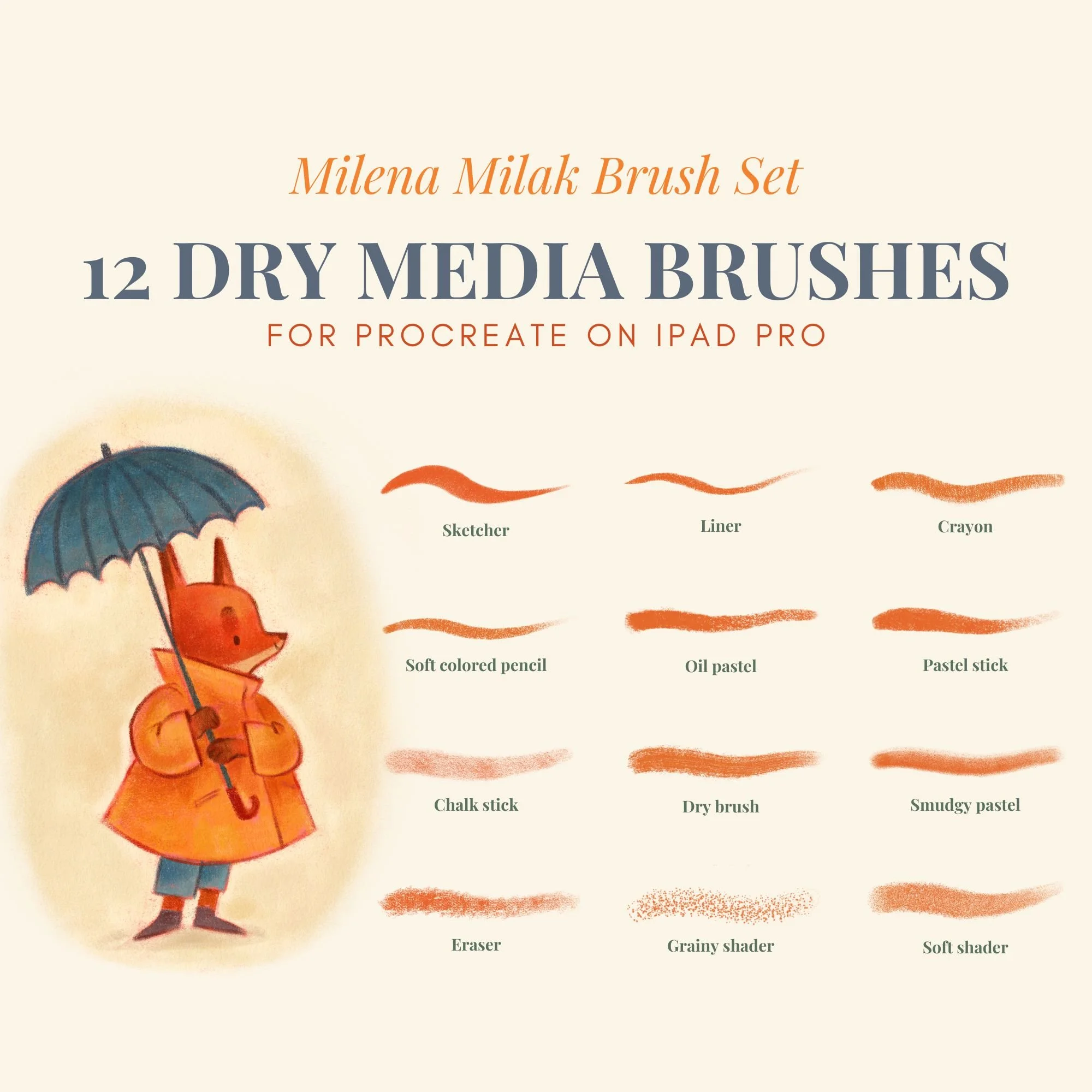
This Procreate brush pack is designed for artists who want their digital work to feel more like traditional drawing. Every brush is built to recreate the natural grain and subtle imperfections of pencil, charcoal, colored pencil, soft pastel, and oil pastel.
Instead of flat or overly polished digital strokes, you get texture, depth, and variation that feels closer to working on real paper.
This traditional media Procreate brushes set is built for illustrators who want expressive, hand-drawn results and is especially useful for children’s book illustration style.
What’s Included?
With this brush set, you’ll get
12 custom brushes designed to behave like traditional tools
A high-resolution cold-pressed paper texture for adding a warm, hand-painted feel to your artwork.
A curated swatch of my favorite colors—the same ones I use in my digital paintings.
A detailed PDF guide that walks you through each brush, its best uses, and a step-by-step breakdown of my painting process.
Disclaimer: The brush is designed for use with Procreate and may not be compatible with other software. Results may vary based on individual drawing styles and techniques. Redistribution, reselling, or sharing of the brush is not permitted.
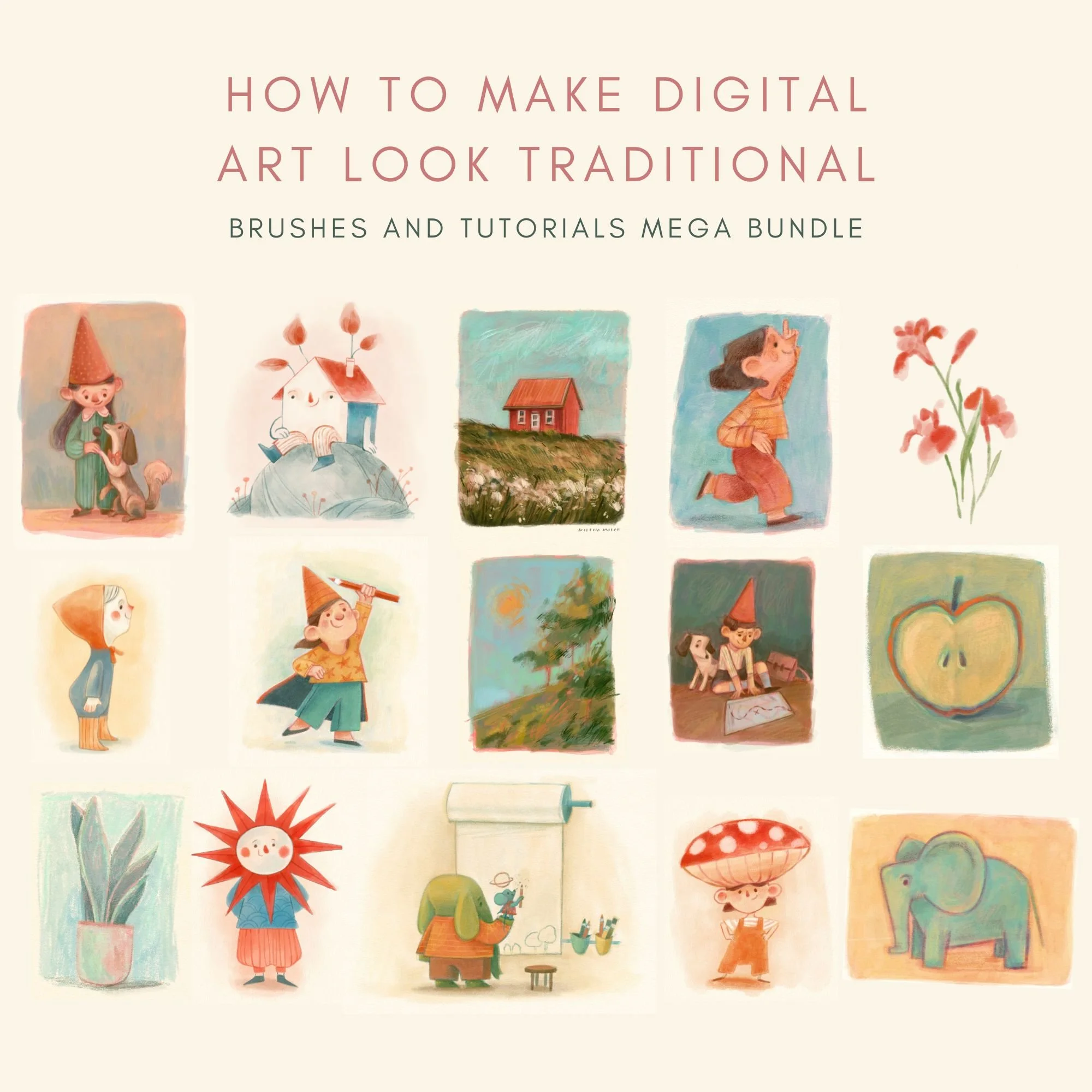
This bundle brings all of my Procreate resources together in one place. You’ll get 26 custom brushes and 7 in-depth PDF tutorials, designed to help you achieve a soft, textured, traditional look in your digital illustrations.
If you love the warmth of watercolor, ink, gouache, or colored pencils but work digitally, this bundle is made to support both your tools and your process. Instead of just giving you brushes and leaving you to figure things out on your own, this bundle shows you how I actually use them in my own work.
It’s especially suited for children’s book illustrators, mixed-media artists, or anyone who wants their digital paintings to feel more organic, textured, and handmade.
What’s included:
Procreate Brush Sets (26 brushes total)
You’ll receive two full brush sets designed to mimic traditional media:
The Wet Media Brush Set (12 brushes) focuses on the softness of watercolor and ink. It includes dedicated liners, a smudge tool brush, and a textured eraser to help you achieve a more organic look in your digital work.
The Mixed Media Brush Set (15 brushes) is designed to reflect the textures I love most: the creaminess of gouache, the grainy feel of colored pencils, and those happy little accidents that make traditional art feel human.
Both sets also include:
High-resolution cold-pressed paper texture to add a warm, hand-painted feel
A curated color swatch with the hues I use in my own paintings
2 detailed PDF guides explaining each brush and walking you through my step-by-step painting approach
Procreate Tutorials (5 PDF files)
Alongside the brushes, you’ll get five in-depth tutorials that show how to bring a traditional look into your digital workflow:
How to mix colors in Procreate: My method for blending colors directly on the canvas and creating harmonious palettes.
How to test color palettes: An introduction to color theory and a practical guide to build cohesive palettes in Procreate.
Elephant and Mouse (soft pastel): A step-by-step tutorial focused on achieving a soft, pastel-like finish.
Girl with a Flower (mixed media): Learn about layering, texture, and how to preserve those happy accidents in digital painting.
Watercolor House (digital watercolor): A guided lesson on blending and painting translucent watercolor textures.
This bundle brings together all of my Procreate brushes and tutorials (worth €55) in one complete package for €39
Disclaimer: Brushes are designed for use with Procreate and may not be compatible with other software. Results may vary depending on individual drawing styles and techniques. Redistribution, reselling, or sharing of the brushes or tutorials is not permitted.
Who this is for
This will probably work well for you if:
– you’re an artist or creative trying to stay consistent
– you like having some structure, but not too much
– you want something that supports your work, not controls it
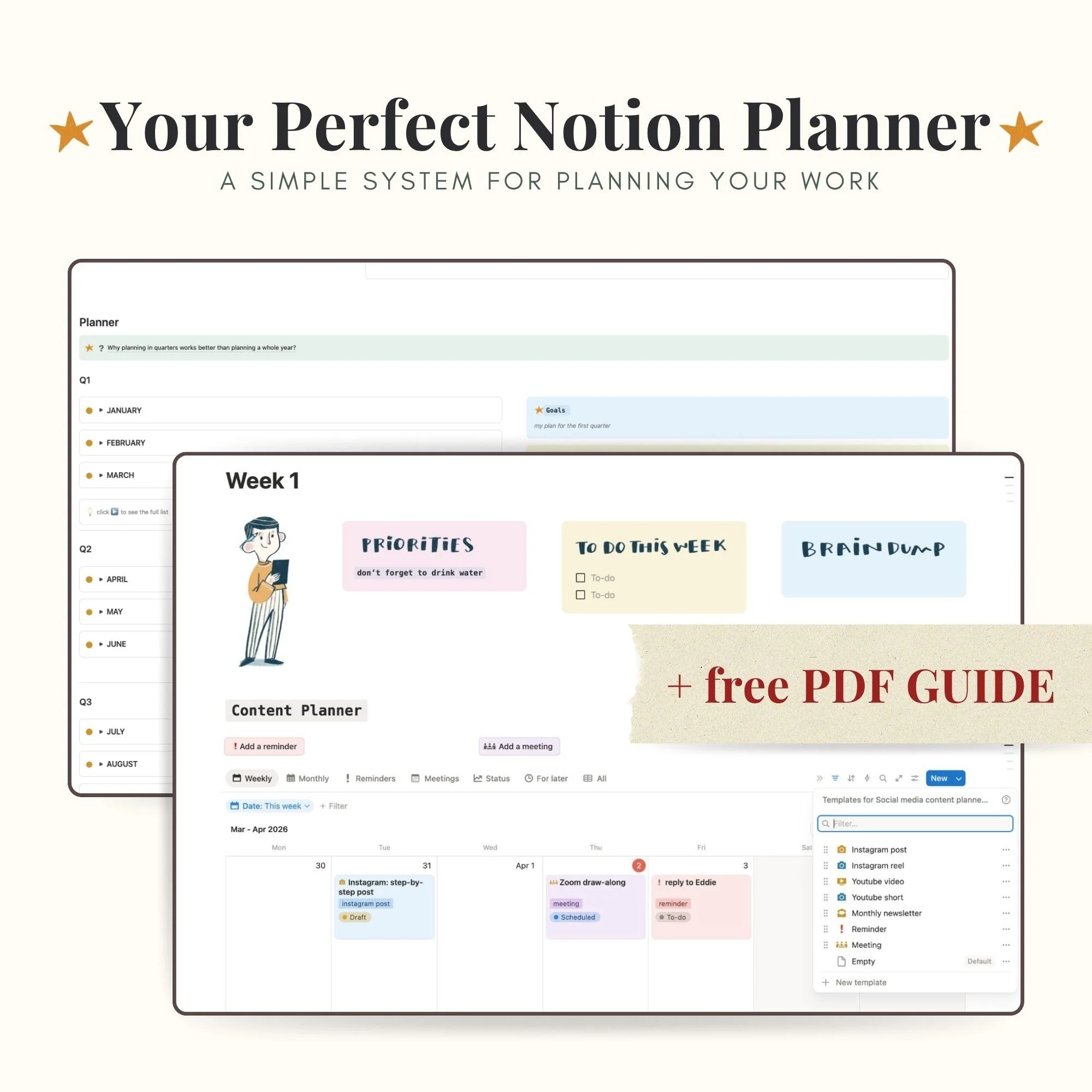
What this planner helps you do:
Instead of juggling ideas, tasks, and plans in your head (or across five different apps), this gives you one place to:
– plan your current quarter without overthinking it
– organize your weekly and monthly content
– break bigger goals into smaller, doable steps using the Creative Roadmap template
– keep track of ideas for later (without losing them)
What’s inside
The planner is built around sections that work together:
Quarter planning
A place to map out what you want to focus on over the next three months
Weekly planner
With your day-to-day and where things actually get done
Priority and to-do list system
Flexible enough to move things around when plans change (because they will)
Future ideas
For all the “not now, but later” thoughts
Creative Roadmap by Milena Milak
A stand-alone template where you can plan your projects, bigger and small
Free PDF guide included
If Notion ever felt confusing or overwhelming, this part is for you!
You’ll also get a step-by-step PDF guide that walks you through:
– how to set up the planner
– how to use each section
– how to use the quarterly planning system
Visit my blog

How to start a sketchbook (even when you don’t know what to draw)

How to make your digital art look like traditional

Illustration Composition Tips
Follow me on Pinterest

Representation
If you're looking for an llustrator to represent and work on exciting projects, I’d love to connect!