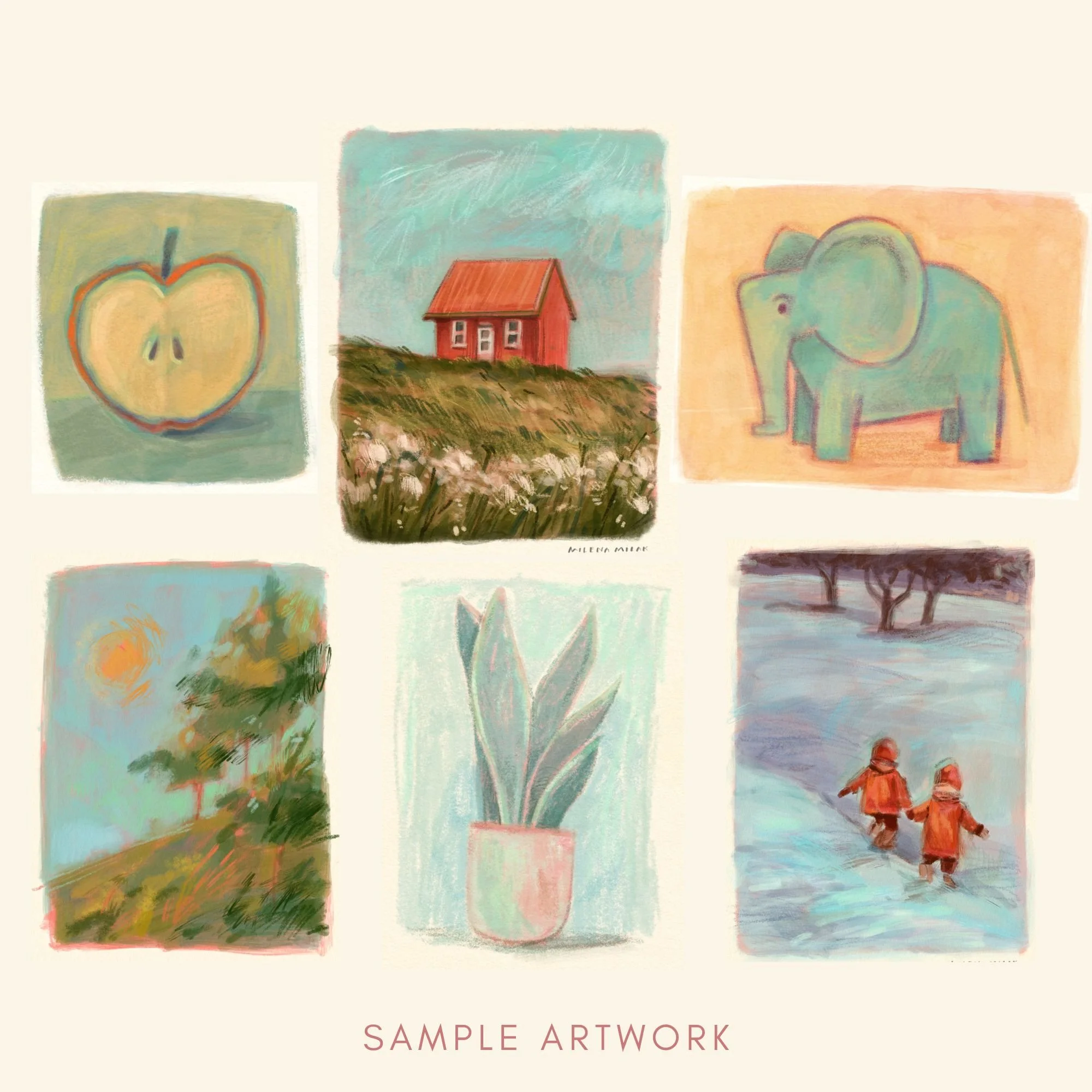
How to make digital art look traditional
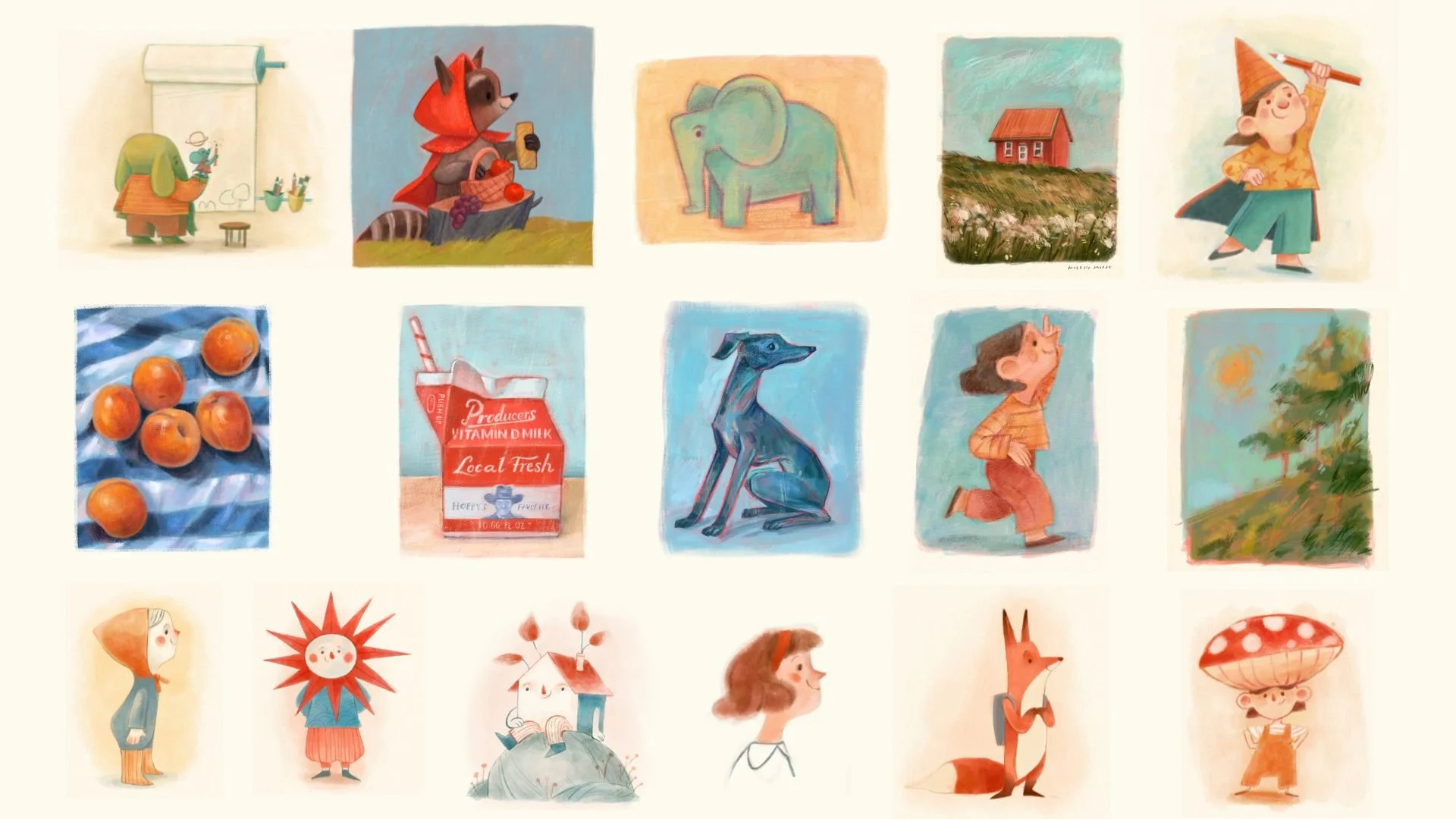
Brushes and step-by-step tutorials that teach you how to give your digital art an organic look. You already know what you want your art to look like. You just haven't found the right process for Procreate yet.
“I like my traditional art. But every time I try to recreate it in Procreate, it never looks as good.”
I hear this from so many artists, and maybe you’ve said it too. Your traditional art has texture, character and “happy little accidents” that make it unique. But once you’re in Procreate, your art looks flat and almost too… perfect.
You experiment with layers, jump between blending modes, maybe even add a paper texture, yet it’s still not there. Maybe you’ve bought a brush set that looked gorgeous in the sample art but your work looks nothing like it.
More brushes, more layers, more blending modes: none of it will fix this until you change your technique.
Digital art gives you endless choices. So what happens when you take most of them away?
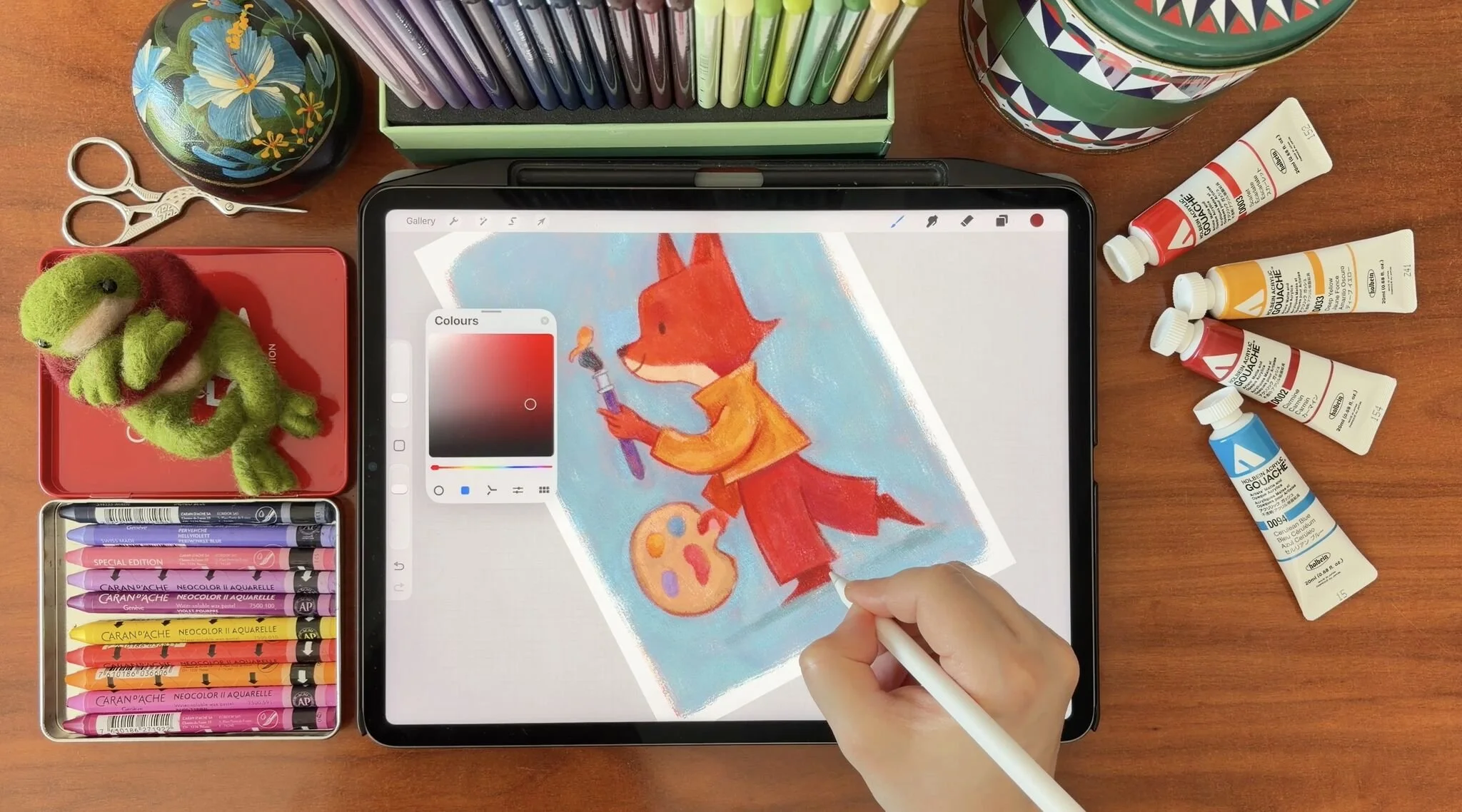
“Painting a whole illustration on the same layer is something I've always been scared of. But I deliberately started reducing the amount of layers I work with after your tutorials. And it really is much more fun and the colours are blending more naturally together”
Fewer choices, more freedom.
The countless choices in a digital art workflow can overwhelm you. I was just like you, never quite sure which blending mode to use. So I took almost all of them away, and my digital art finally started looking traditional.
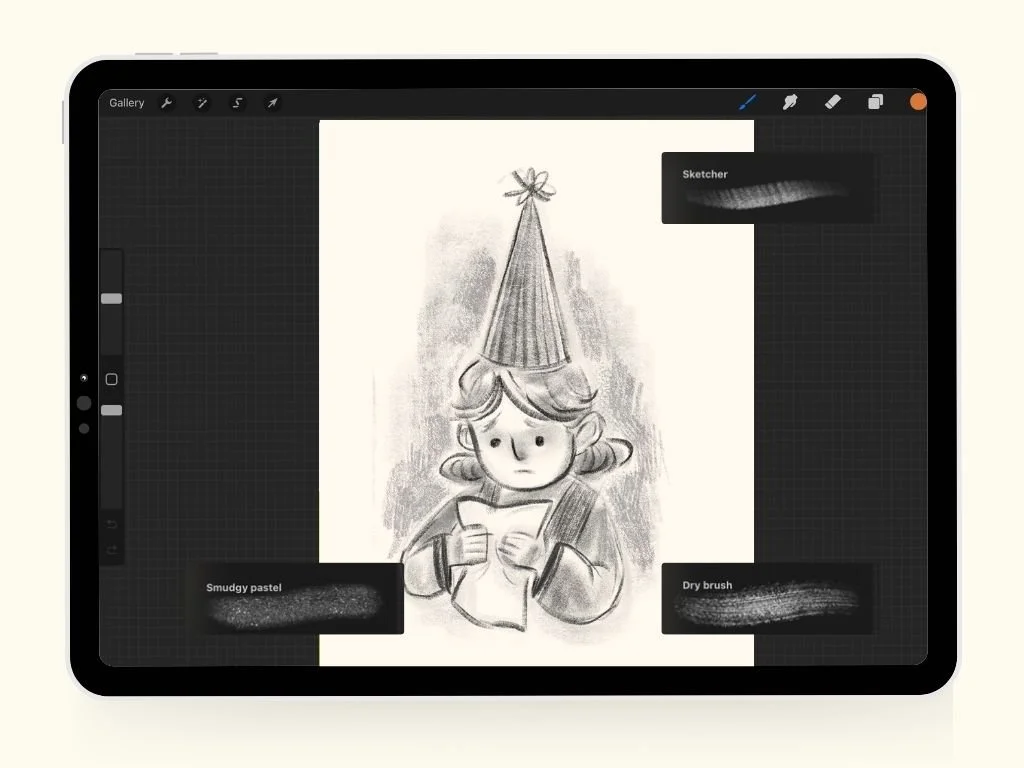
01
One layer
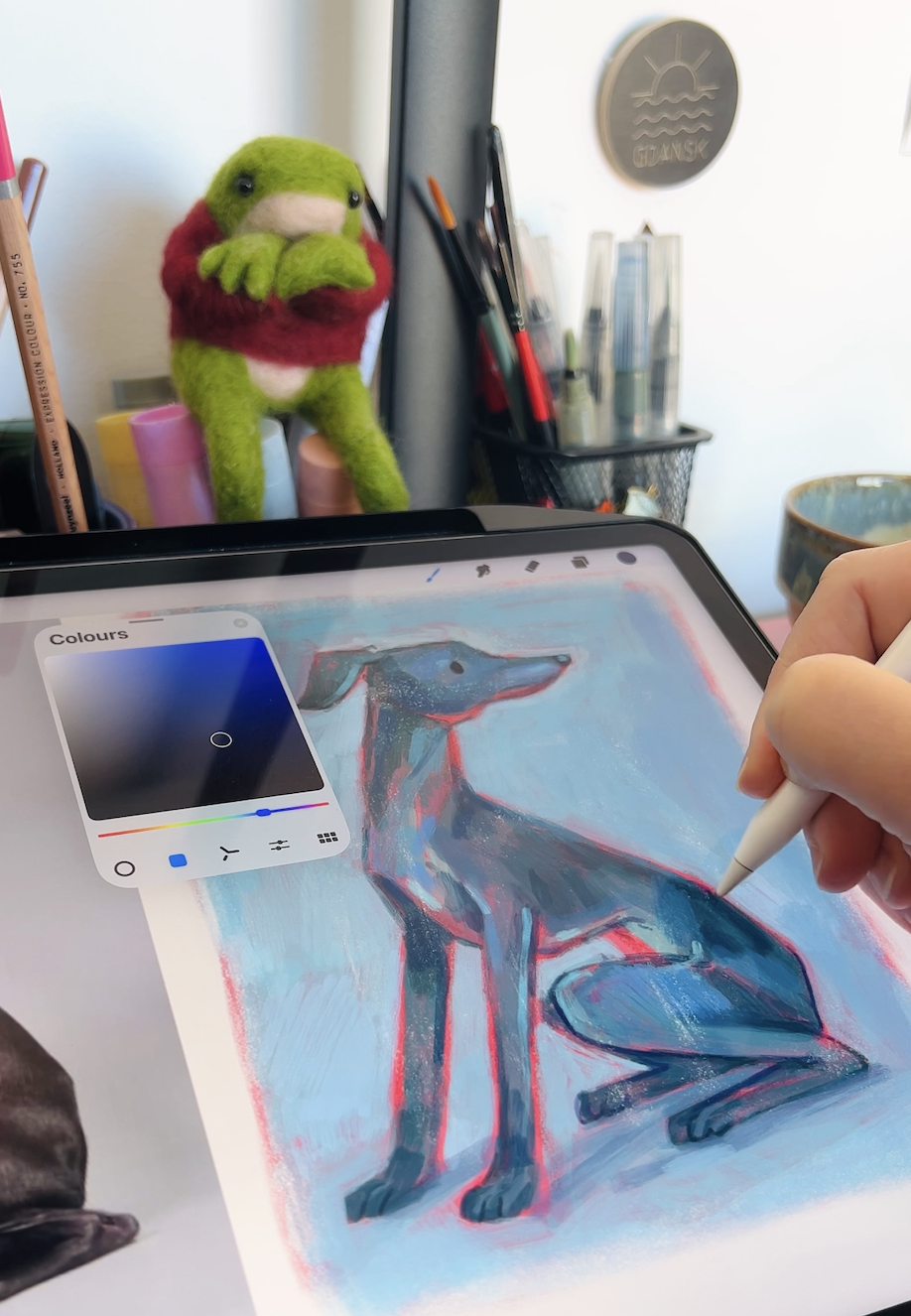
You paint the whole illustration on a single layer, the way you would on paper.
It sounds scary at first, but most people soon find it a relief (and a lot more fun!). Once you can’t go back and forth adding and removing layers, or nudging that one separate object 5 mm to the left, you start enjoying the process.
And you get to work faster too.
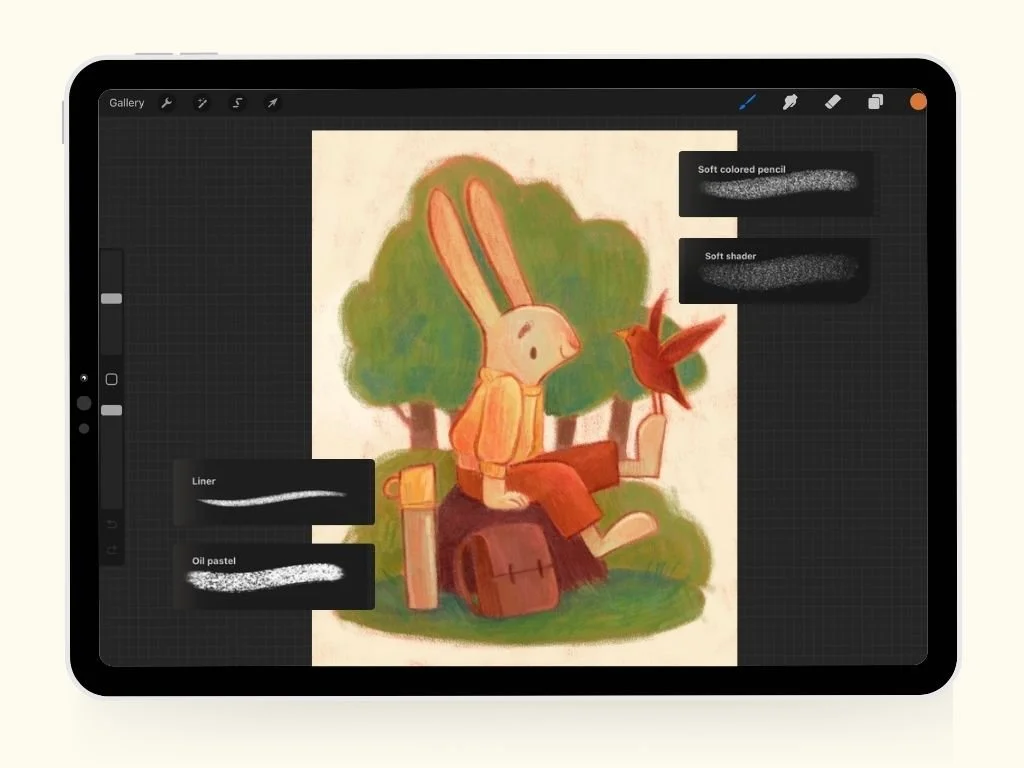
02
Mix it on the canvas
No more endless color choices or getting lost on the color wheel.
You start with a few base colors and learn to mix everything else right on the canvas. Once you learn my technique, each time you’ll end up with a gorgeous, harmonious palette. Plus, my technique is a crash course in color theory.
You’ll never look at color the same way again.
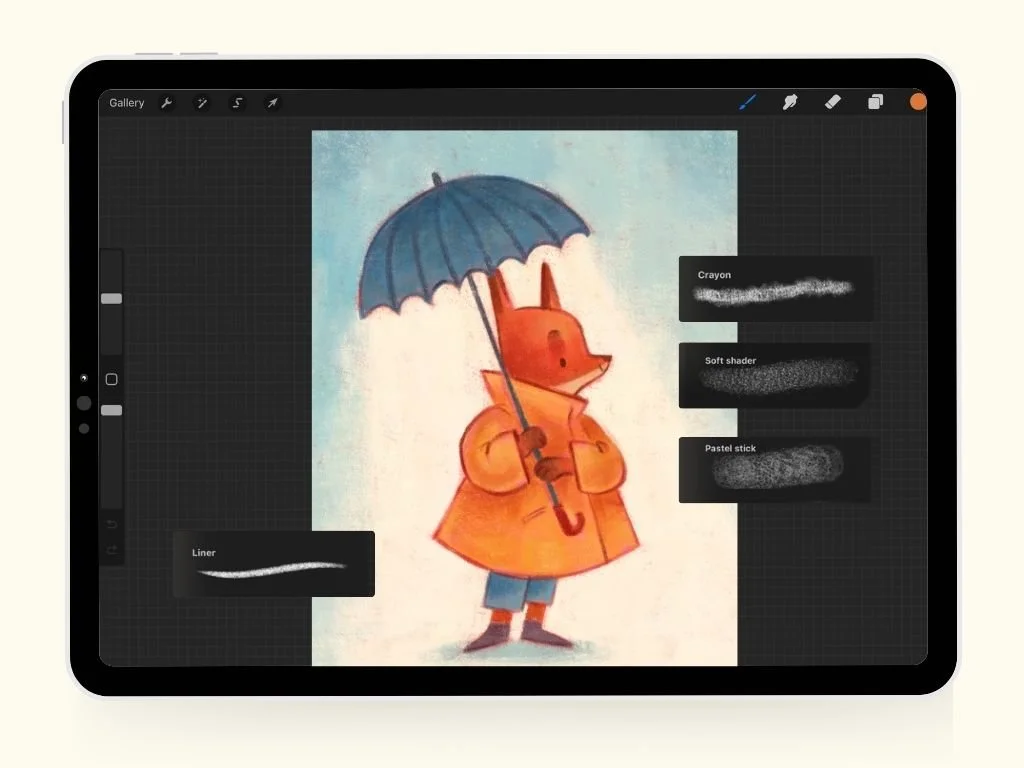
03
Let the brush misbehave
In other words, loosen your grip!
Let the imperfections and grainy edges of the brushes do the work. Zoom out and let the brush engine work its magic. The eraser is for emergencies only.
Discovering textures is the fun part.
-
"I just bought your Brush set and it's lovely 😍 Thank you for the tutorial that came with it. I'm still fiddling around with Procreate, but it helps that you included the tutorial."
-
"Stunning class. Thank you so very much! I bought your Dry Media Brush Set and LOVE it!"
-
"I'm very new to your Patreon and to Procreate. I've just watched the replay of this session and it has been incredibly useful and has sparked off lots of ideas."
The Full Procreate Guide Bundle
My two painterly brush sets plus five in-depth tutorials that take you through the method
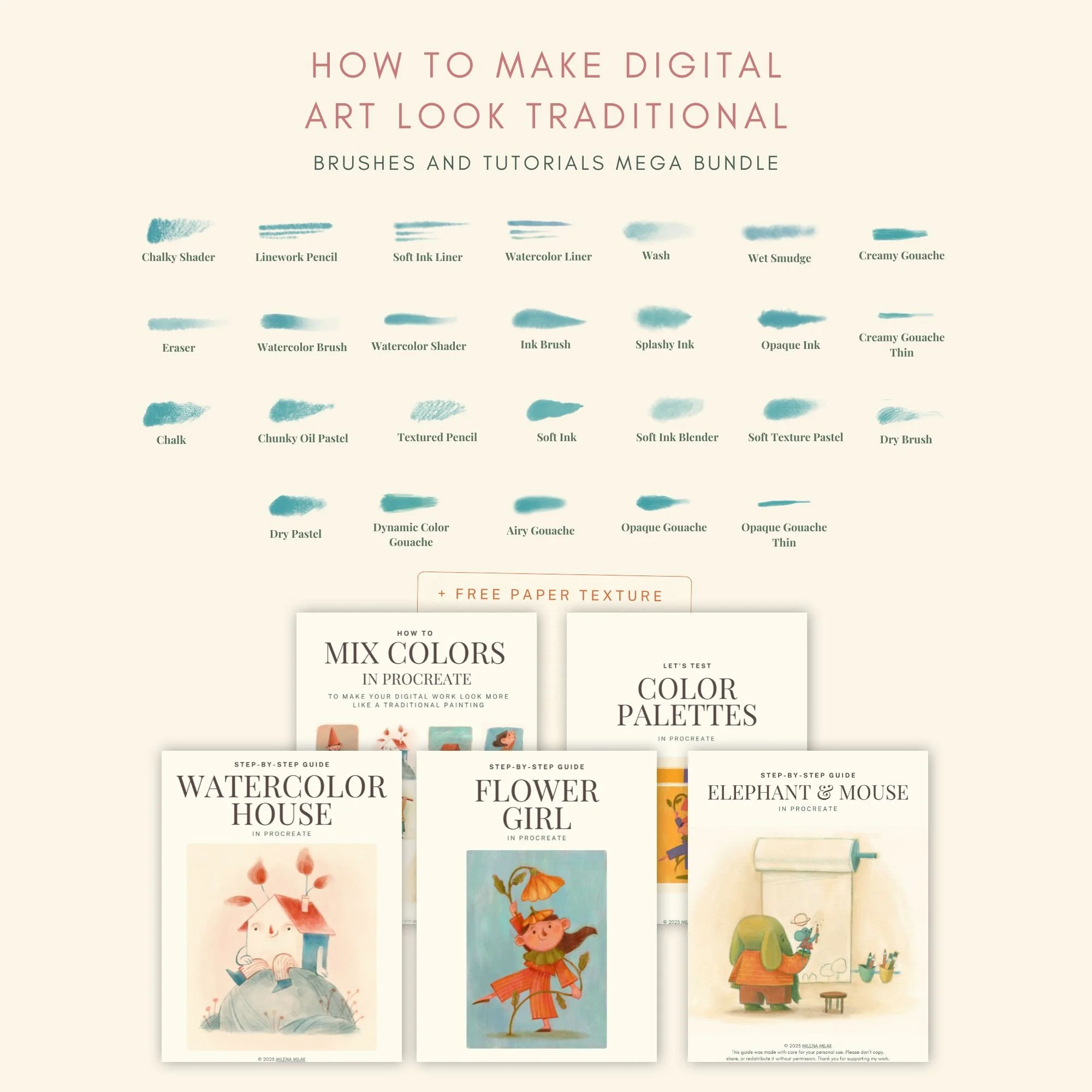
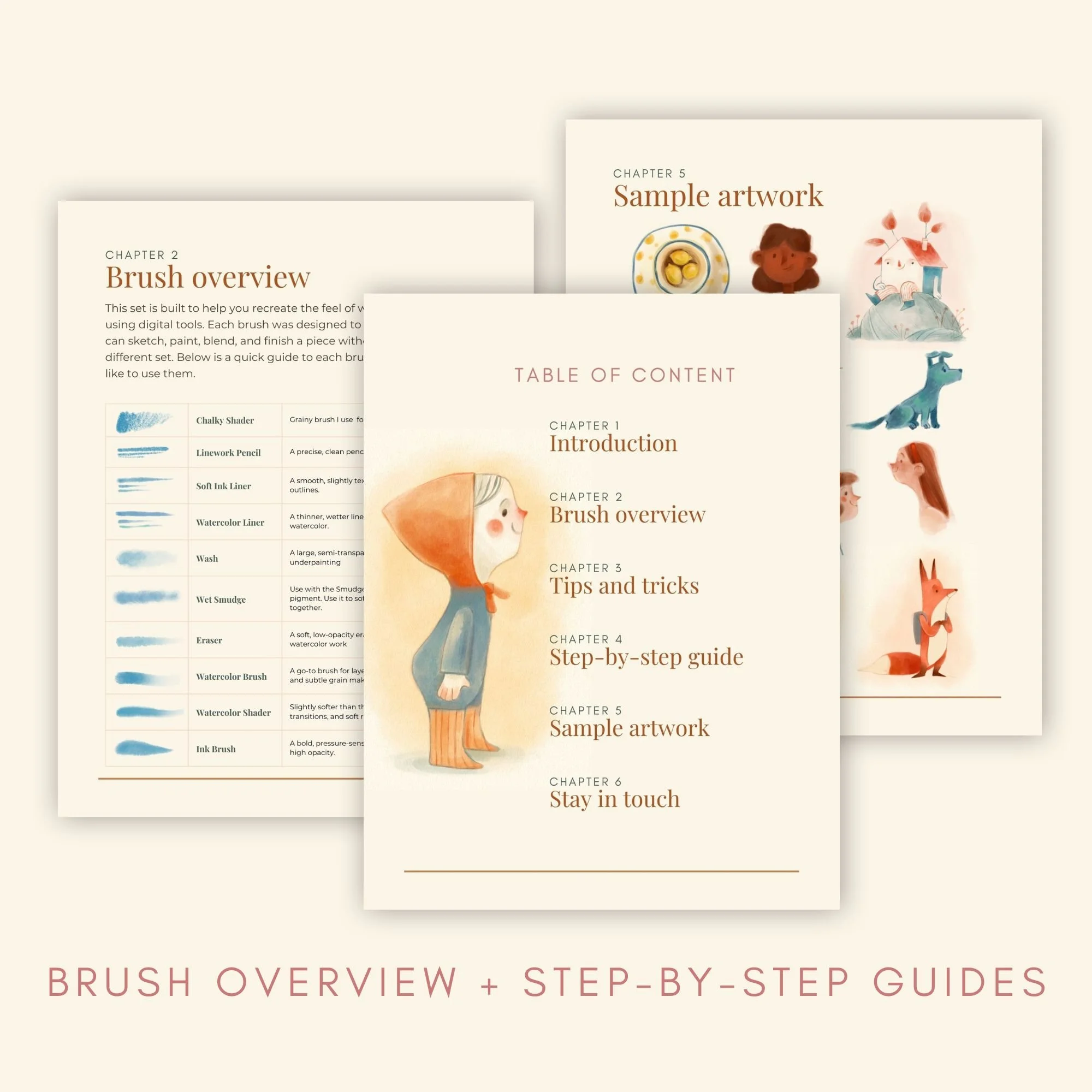
WHAT’S INSIDE
Wet Media Brush Set (12 brushes)
Watercolor and ink, with dedicated liners, a smudge brush and a textured eraser for soft, organic edges.
Mixed Media Brush Set (15 brushes)
The creaminess of gouache, the grain of colored pencil, oil and soft pastels, and alcohol markers. These are the textures I love most!
Paper texture and color swatch
A high-resolution cold-pressed paper texture for that warm, hand-painted surface, plus a swatch of the exact colors I use in my own paintings.
Every brush explained: what it’s for, when to reach for it, and a step-by-step look at how I paint with each set.
2 brush guides (PDF)
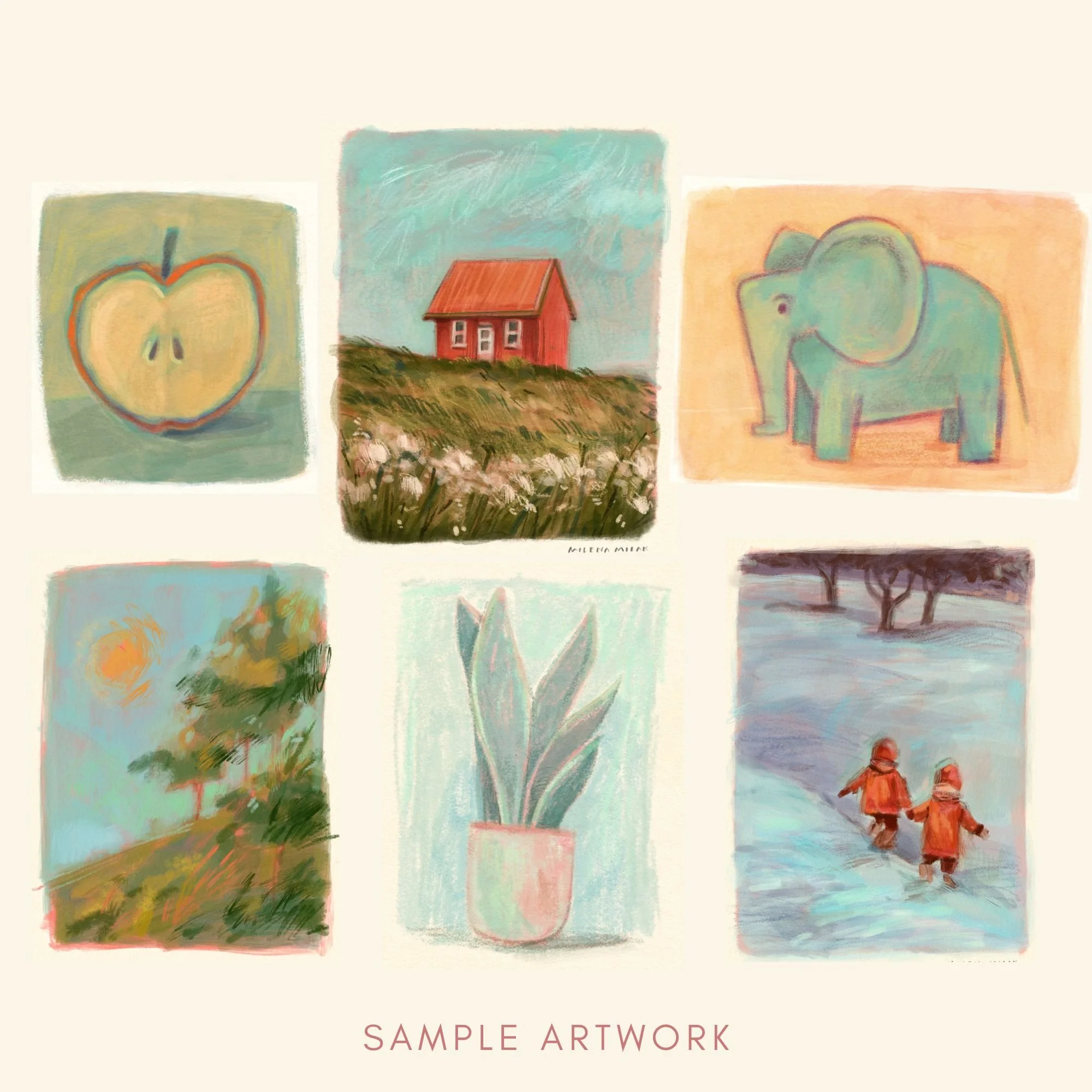
5 tutorials (PDF)
How to test color palettes
Practical color theory for palettes that look great together.
How to mix colors in Procreate
My method for blending right on the canvas and building harmonious palettes.
Watercolor House
Blending translucent, digital watercolor.
Elephant and Mouse
A full illustration with a soft pastel look.
Girl with a Flower
Layering texture in mixed media, and keeping the happy accidents.
I have been intimidated by this medium, but I'm feeling like I might give it a try. I loved how you talked through your decision process of choosing colours — that's usually where I get stuck."
Want just the brushes?
Every set comes with the paper texture, my color swatch and a PDF guide that explains each brush and walks you through how I paint the cover art with it.

This Procreate brush set is designed to reflect the textures I love most: the creaminess of gouache, the grainy feel of colored pencils, and those happy little accidents that make traditional art feel human.
If you’ve been struggling to bring that natural, textured look into your digital work, this brush set might be exactly what you need!
It’s perfect for children’s book illustrators, mixed-media artists or just anyone who wants to add mixed media textures to their digital paintings
What’s Included?
With this brush set, you’ll get everything you need to bring rich, organic textures into your digital paintings:
15 custom Procreate brushes mimicking traditional techniques like gouache, colored pencil, oil and soft pastels, and alcohol-based markers.
A Procreate file with a high-resolution cold-pressed paper texture for adding a warm, hand-painted feel to your artwork.
A curated swatch of my favorite colors—the same ones I use in my digital paintings.
A detailed PDF guide that walks you through each brush, its best uses, and a step-by-step breakdown of my painting process.
Disclaimer: The brush is designed for use with Procreate and may not be compatible with other software. Results may vary based on individual drawing styles and techniques. Redistribution, reselling, or sharing of the brush is not permitted.
15 brushes for gouache, colored pencil, oil and soft pastels, and alcohol markers.

This Procreate brush set is designed to mimic the softness and looseness of wet media techniques, with designated liners, a smudge tool brush, and a textured eraser to help you achieve a more organic look in your digital work.
It’s perfect for children’s book illustrators or artists who love the look of real watercolor and ink.
What’s Included?
With this brush set, you’ll get
12 custom brushes designed to mimic traditional water-based materials like watercolor and ink.
A Procreate file with a high-resolution cold-pressed paper texture for adding a warm, hand-painted feel to your artwork.
A curated swatch of my favorite colors—the same ones I use in my digital paintings.
A detailed PDF guide that walks you through each brush, its best uses, and a step-by-step breakdown of my painting process.
Disclaimer: The brush is designed for use with Procreate and may not be compatible with other software. Results may vary based on individual drawing styles and techniques. Redistribution, reselling, or sharing of the brush is not permitted.
12 brushes for watercolor and ink, including liners, a smudge brush and a textured eraser.
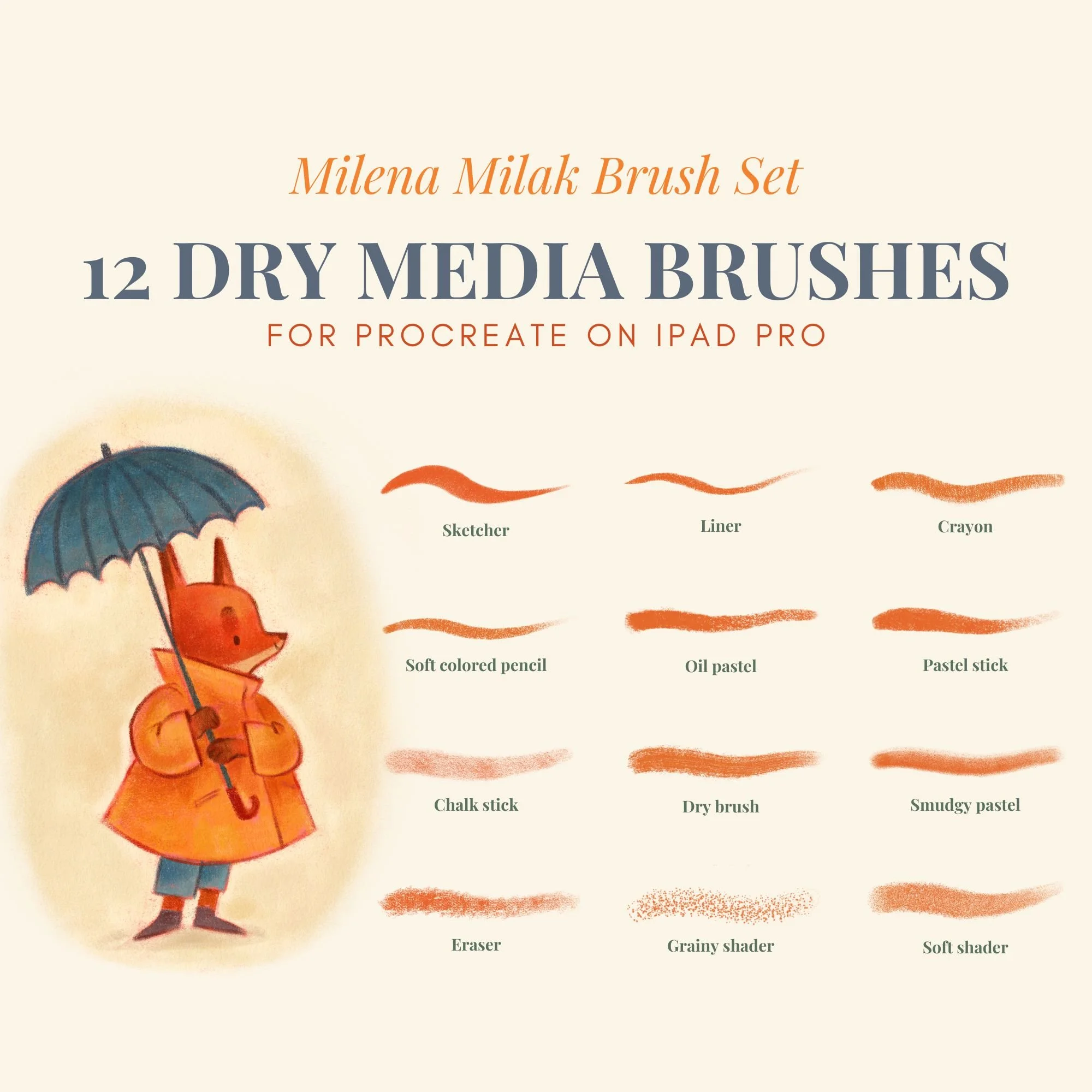
This Procreate brush pack is designed for artists who want their digital work to feel more like traditional drawing. Every brush is built to recreate the natural grain and subtle imperfections of pencil, charcoal, colored pencil, soft pastel, and oil pastel.
Instead of flat or overly polished digital strokes, you get texture, depth, and variation that feels closer to working on real paper.
This traditional media Procreate brushes set is built for illustrators who want expressive, hand-drawn results and is especially useful for children’s book illustration style.
What’s Included?
With this brush set, you’ll get
12 custom brushes designed to behave like traditional tools
A high-resolution cold-pressed paper texture for adding a warm, hand-painted feel to your artwork.
A curated swatch of my favorite colors—the same ones I use in my digital paintings.
A detailed PDF guide that walks you through each brush, its best uses, and a step-by-step breakdown of my painting process.
Disclaimer: The brush is designed for use with Procreate and may not be compatible with other software. Results may vary based on individual drawing styles and techniques. Redistribution, reselling, or sharing of the brush is not permitted.
12 brushes for pencil, charcoal, colored pencil, soft pastel and oil pastel.
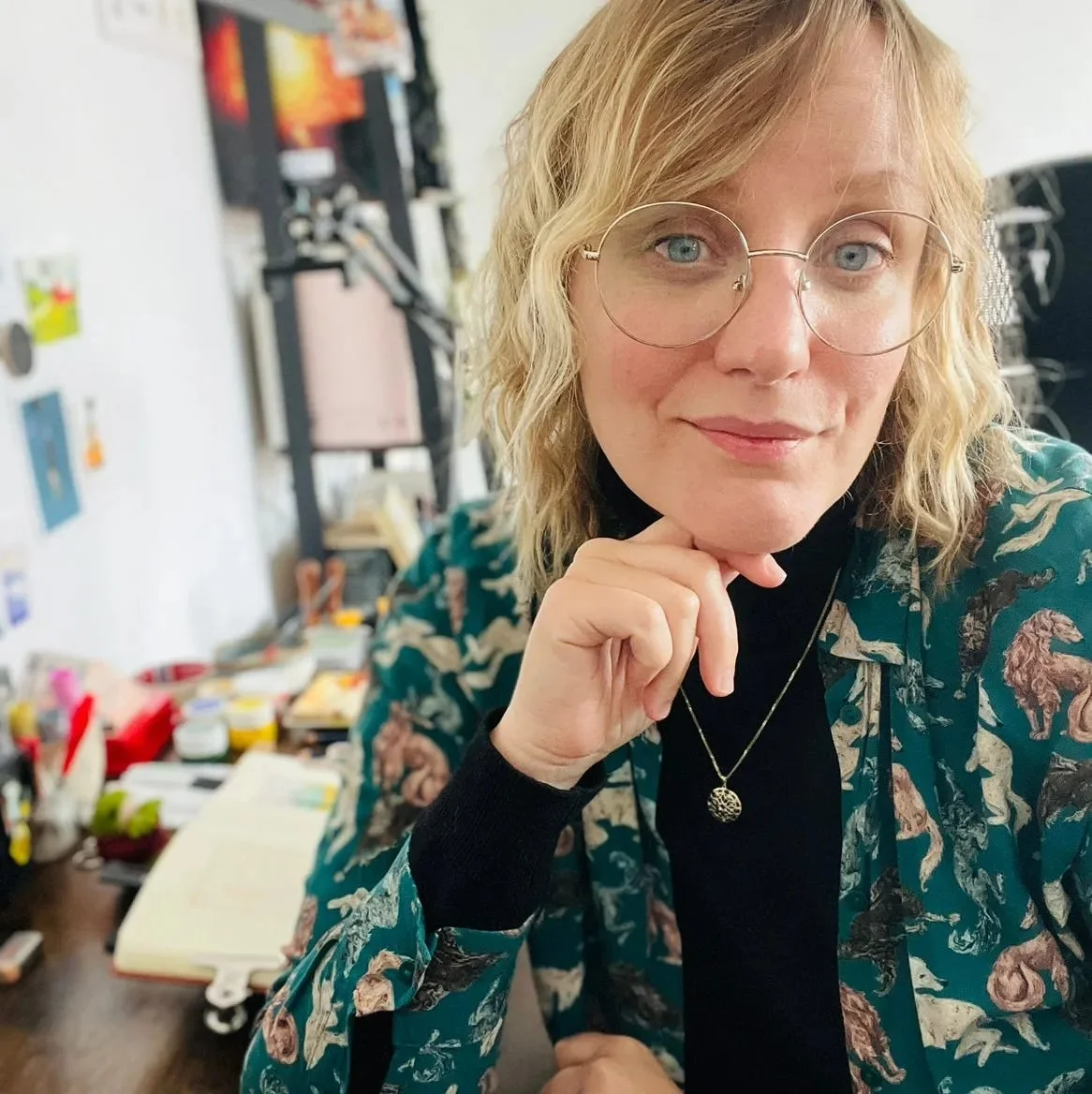
Taught by an illustrator who figured it out the hard way
I’m a children’s book illustrator and a Recovering Perfectionist. I love the look and feel of traditional art, but I also love the convenience of Procreate. So I brought the two together and created a way of painting in Procreate that feels much closer to traditional art, and looks like it too.
What started as a solution just for me turned into resources I can share with fellow artists. With more than 500 sold, the community of artists looking for the same thing grows every day.
500+
Brushes and tutorials sold
20k
Two Tap Digital Summit audience
32k
Followers on Instagram
Imperfection, on purpose.
Traditional media never look perfectly smooth and it’s that unevenness what makes it feel human. I'll show you how to create those happy little accidents on purpose, and how to keep them instead of smoothing them away.
Club Membership
Paint alongside me every month
Speaking of doing this together: brushes and PDFs are one-time things, but learning sticks better with company. On Patreon, artists like you join me for live Zoom workshops. I teach my Procreate technique, inspire your sketchbook ideas and teach you composition and you can ask me your questions directly. Camera and mic are optional, so you can sit quietly and paint along.
For you, if you want to keep learning, and you’d rather do it with people than with another folder of downloads.
Coming soon
Before you hit buy
Still wondering about something? I’d love to hear from you.
-
No, they’re made for Procreate on iPad only. Please check you have Procreate before buying, because digital products can’t be returned.
-
Not at all. Every set comes with a PDF guide that explains each brush and shows you how to create the cover art in a simple step-by-step process. One buyer told me she's "still fiddling around with Procreate," and the included tutorial was exactly what helped.
-
Fair question. It's the reason every one of my sets comes with a guide. Most packs give you a pretty preview and nothing else. With mine you get an explanation of every brush and a complete painting to follow along with. You won't be left figuring it out alone.
-
Right after payment, you'll get an email with your download link.
-
Yes, for your own original artwork, including commercial projects. You can't resell or share the brushes themselves, and you can't use them in AI-generated art sold as handmade.
-
Because they're digital, all sales are final. But if you hit a technical problem, email me and I'll help you sort it out.
-
No. Camera and mic are both optional, and plenty of people just paint along quietly. Every workshop is recorded, so if the time doesn't suit you (or live isn't your thing), you can watch the replay.